- Model
- Moosic v1 · just released
- Price
- $19 · one-time
- OS
- macOS · Windows · Linux
- Input
- local folders · any Subsonic server
A music player for the library you actually have.
Moosic plays the music folders on your disk, completely offline, and streams from any Subsonic-compatible server: your NAS, a VPS, or a friend's box. Merge them into one library, sync it to an iPod or DAP without iTunes, play it gapless. Pick modern or retro. Both ship in the box.
fig. 1 · interactive demo · plays real audio
Your folders, your servers. One library.
No server? No problem. Add music folders or single files from your disk and Moosic plays them completely offline: no internet, no account, nothing to host. Run a server too? Moosic speaks Subsonic, the open standard most self-hosted music servers already use. Point it at one. Or many: merge Navidrome, Gonic, whatever you run, and your local folders into a single collection: one search, one artist list, duplicates collapsed. An optional bridge, Fugue, adds a secure P2P tunnel, so friends can share a library without ever opening it up to the public internet.
Works with what you run.
Moosic plays local folders on its own and connects to any server speaking the Subsonic API. No lock-in, no custom protocol. Credentials stored locally. Audio streams directly, zero-buffer.
One merged library
Built into the player: give several servers, or a server and your local folders, the same merge_group in config.toml and they appear as one merged library: artists, albums, search and playlists from every member, duplicates collapsed to the best-quality copy.
P2P tunnel
When a friend runs the optional Fugue bridge in front of their Subsonic server, they can hand you a ticket and you stream over an end-to-end encrypted QUIC connection. No port forwarding. No exposed ports.
Cast around the house
Send playback to a Chromecast, Sonos speakers, or a Snapcast multi-room setup; devices show up automatically on your network, picked straight from the player. Sonos works like hardware should: no Sonos account, no API keys, no cloud round-trips. The visualizer keeps dancing while you cast, and it's gapless either way: no half-second silence between tracks that are meant to run into each other.
Take it with you. Sync to real hardware.
Mark albums and playlists in Moosic, plug in a player, and they land on it as plain files, transcoded to whatever the device can actually play. USB DAPs, SD cards, and iPods. No iTunes, no vendor app. Podcast episodes ride along too. Deep dive on the iPod & DAP sync page.
Files on a device. Like it used to work.
Any player that shows up as USB storage works out of the box: tracks go to Music/Artist/Album/, playlists are written as m3u8. Devices with quirks get a profile (folder layout, codec list, playlist format) and you can define your own profile in config.toml without waiting for an update.
Click-wheel iPods are special: stock Apple firmware ignores loose files, so Moosic writes the iTunesDB database directly: a from-scratch binary writer, no iTunes, no libgpod, nothing to install. Lossless goes as ALAC. The newest click-wheel generations need an extra checksum library (configurable); iPod Touch and iPhone are iOS devices and not supported.
Mark & sync
Mark tracks, albums, or playlists for a device in the Devices tab. Plug it in, hit sync, done. Already-synced files are skipped; removed marks are cleaned up. Device groups sync one marked set to several players at once.
Transcodes itself
Each device declares what it can decode. FLAC onto an iPod becomes ALAC; onto an MP3-only player it becomes MP3. Optionally force a codec and bitrate cap: 256 kbps AAC fits a lot more music on a 16 GB card.
iPods, most generations
Stock-firmware click-wheel iPods (Mini, Video, Classic, Nano up to 5G/6G) get a proper iTunesDB write, no iTunes involved. The checksum-locked last generations need an extra hash library, set once in config; Moosic runs it through a bundled WASM interpreter, no native code to install. Rockbox turns any iPod into a plain folder-sync DAP.
Two faces. One player.
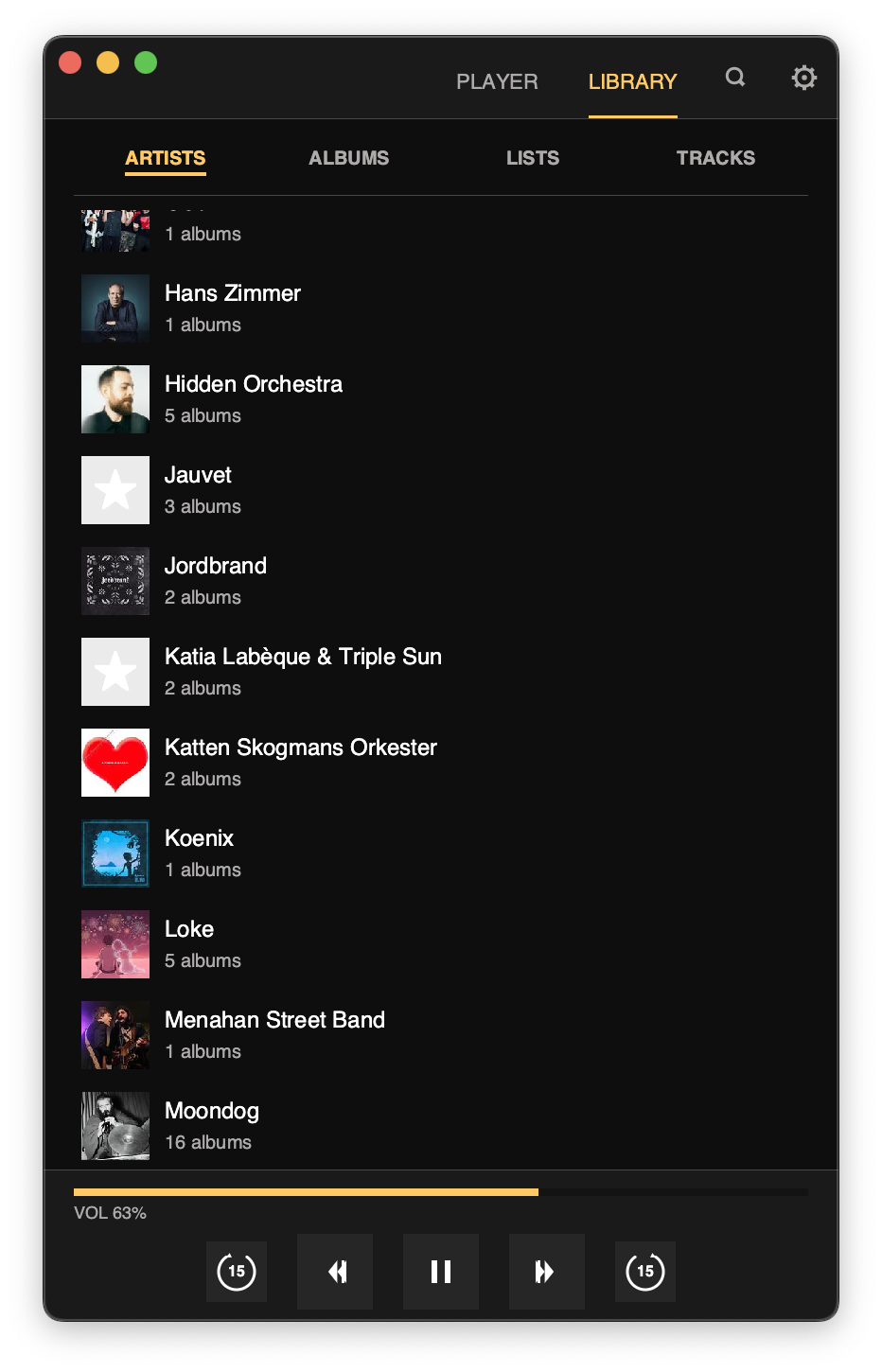
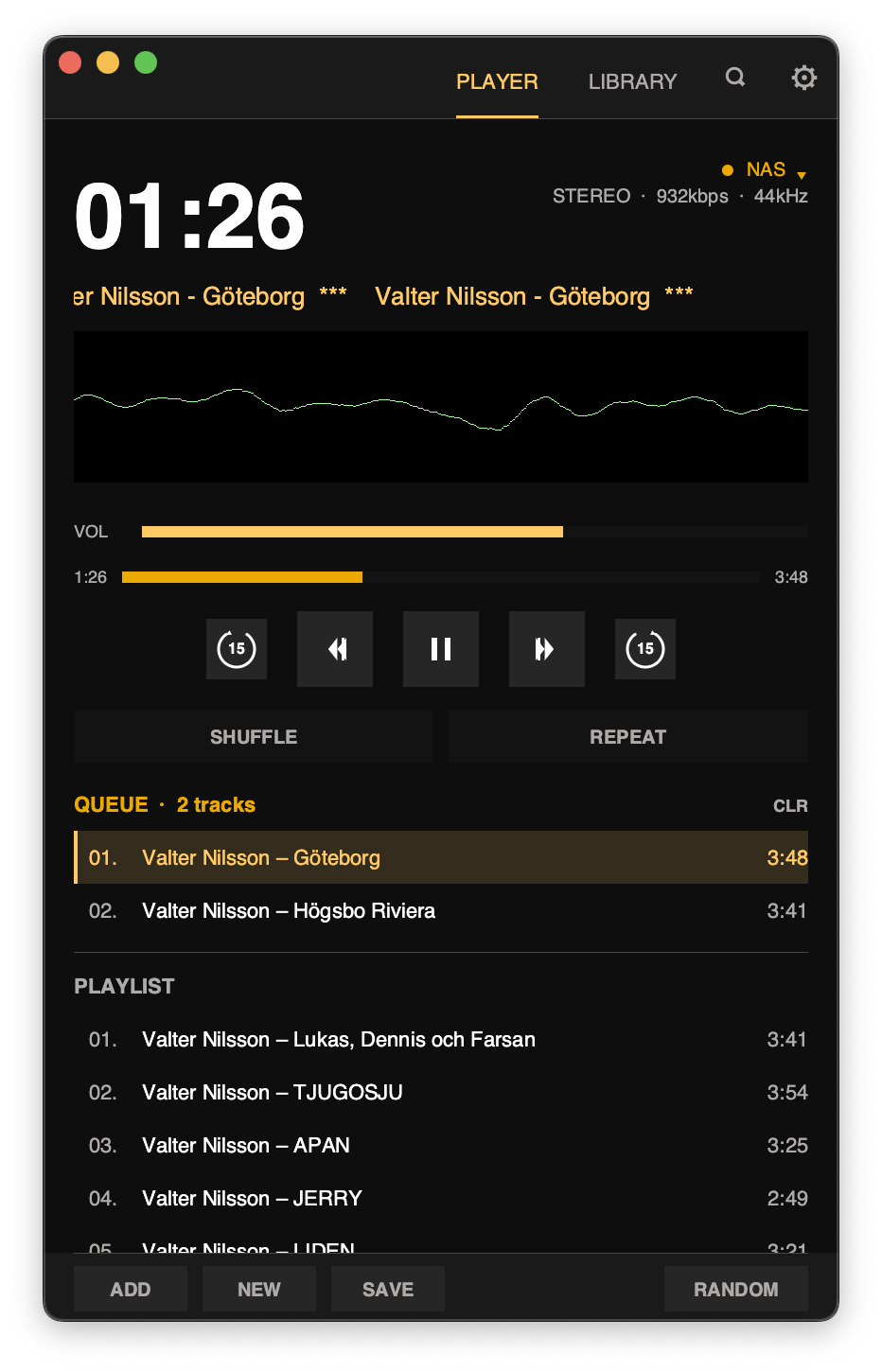
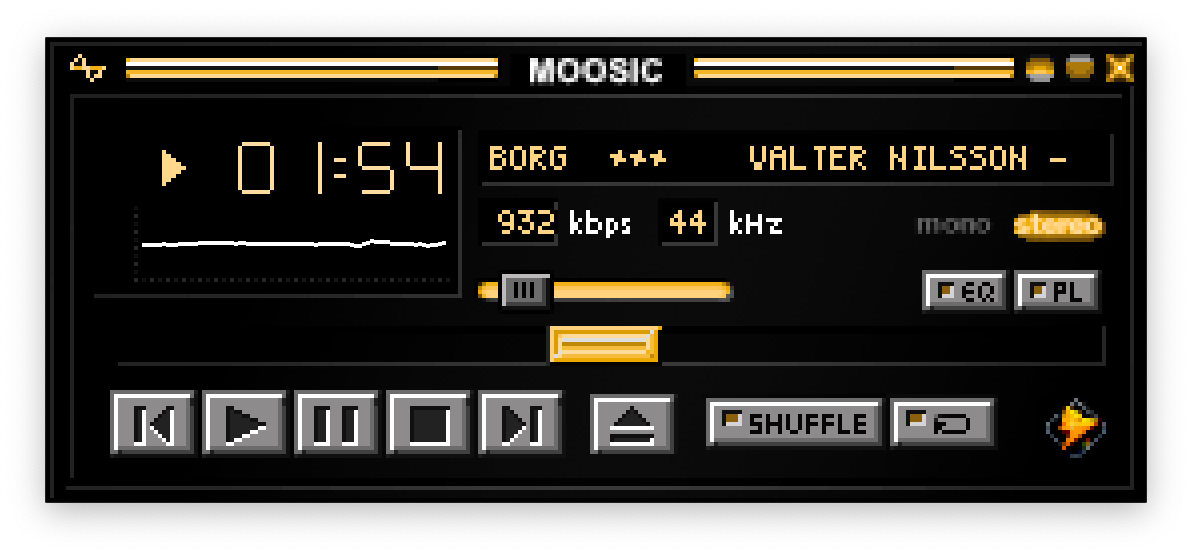
Moosic ships with a modern single-window dark UI and a retro mode with chunky multi-window chrome, window snapping, and full skin support. Switch between them any time; your library stays put.
Your shows too. No server support needed.
Moosic has a podcast client built in: subscribe by RSS straight from the app. It's a player feature, not a server one: works with any Subsonic server, and Navidrome never needs to know a podcast exists.
Built into the player
Paste a feed URL, get a Podcasts tab: episode downloads, resume where you left off, unplayed / in-progress filters. Everything lives on your machine; your music server just keeps serving music.
Sync to DAPs & iPods
Episodes copy to any USB player next to your music. Click-wheel iPods get the real thing: shows land in the native Podcasts menu with resume positions, and what you listen to on the iPod syncs back when you plug it in.
Per-show rules
Pick which shows live on the device, keep the newest few episodes per show, pin the ones you're saving. New episodes follow automatically; played ones clean themselves up.
One price. Yours forever.
Moosic v1
- All features.
- macOS · Windows · Linux from one license.
- Every v1.x update. Forever.
- Personal or commercial use. Licensed to you personally, can't be resold or transferred.
- 14-day no-questions refund.
- No account. License key ships to your email.
What you're not paying for.
No ads. No recommendations engine. No "For You" mix. No telemetry. No cloud sync that breaks when a server sunsets. No upsell to a higher tier. No seat count.
Your files, your servers, your playback. That's it.
No subscription. No tiers. No "Pro" version held back. Buy once, get every update for v1. Works on all three platforms with a single license.
How the free version works
No time-based trial. Every unregistered launch gives you 10 songs, counted when a track actually starts. On song 11 the player pauses and a buy / paste-license overlay covers the queue; restart the app and you get another 10. Feature locks stay on the whole time: single server only, bundled skin, default palette, no P2P, no playlist save, no global media keys, 500-track library cap, in-memory cover cache. Licensing removes all of it permanently. Offline verification, portable across your devices. No phone-home, no activation server.
Things people ask before they buy.
If your question isn't here, send an email. A real person replies, usually within a day.
Q1Do I need a server to use Moosic?
No. Add folders or single files from your disk, from the player or by dropping them on the window, and Moosic plays them completely offline: no server, no internet connection, no account. Stars, ratings, playlists and lyrics (.lrc) work locally too, and new files show up as you add them. Run a Subsonic-compatible server (Navidrome, Gonic, Airsonic)? Connect it as well, or merge it with your folders into one library.
Q2What's the difference between modern and retro mode?
Modern is a single dark window with tabs: Player, Library, Party. Retro is a multi-window shell with classic skin support, window snapping, docking, and the compact visual vocabulary of late-90s desktop players. Switch any time. Your library doesn't care.
Q3Which audio formats does it play?
Moosic streams only from Subsonic-compatible servers: no local file playback. Decoded natively with Symphonia: FLAC, ALAC, MP3, AAC, M4A, OGG Vorbis, WAV/PCM. Anything else, Opus included, your server can transcode on the fly. Gapless on supported formats. No dithering, no hidden loudness processing: volume is plain linear gain.
Q4Is there telemetry? Where does my data go?
Nowhere. Zero telemetry. All network traffic is music, talking to the servers you configured, nothing else. With only local folders, Moosic needs no internet at all. We run no backend, no analytics, no license server, no "cloud". Just ship the player and step away. Like a media player from the 90s: no internet, no evil spies. Library metadata and playback history stay on your machine.
Q5What does "P2P sharing" actually mean?
Your friend runs a small bridge, Fugue, in front of their Subsonic server and generates a ticket. You paste it into Moosic. A direct end-to-end encrypted QUIC connection opens between the two of you: no relay, no exposed ports, no account anywhere. You browse their library as if it were another server.
Q6Is the source available?
Not yet. During this phase of development the source stays closed. We may reconsider opening it later once the player stabilizes.
Q7Does it work offline?
Partially. Cached metadata and cover art stay available offline, and downloaded podcast episodes plus anything synced to an iPod or DAP play without a connection. Music streams need a live connection to your server. No local file playback.
Q8Can I use my existing skin files?
Drop a .wsz file from the old skin archives onto Moosic's retro window. It gets unzipped, the sprite sheet parsed, and baked into the GPU texture atlas at startup. Most classic skins work without modification.
Q9Can I sync music to an iPod or a DAP?
Yes. Any player that mounts as USB storage gets plain files and m3u8 playlists: mark albums or playlists, plug in, sync. Tracks are transcoded automatically when the device can't play the original format. Click-wheel iPods (Mini, Video, Classic, Nano) work on stock firmware: Moosic writes the iTunesDB directly, no iTunes needed. The last click-wheel generations need an extra checksum library set once in config; iPod Touch and iPhone are not supported. An iPod flashed with Rockbox syncs like any other DAP.
Q10Can I merge several servers into one library?
Yes, in the player itself. Give two or more servers the same merge_group in config.toml and they show up as a single library: browse, search and playlists span all of them, duplicate albums collapse to the best-quality copy, and scrobbles still go to the track's own server. No extra software needed. Playlists can mix tracks from several servers too: Moosic saves one part per server and re-merges them in the original order when opened. Other Subsonic clients see the parts as separate same-named playlists; the optional Fugue bridge merges server-side, so every client sees one playlist.
Q11Can Moosic cast to Chromecast, Sonos, or Snapcast?
Yes. Cast targets are discovered automatically on your network and picked from the player: Chromecast (including TVs that speak the protocol), Sonos speakers, and Snapcast for synced multi-room audio. Local speakers stay the default; casting is one click in, one click out.
Q12Do podcasts need server support?
No. Podcasts are a Moosic feature, not a Navidrome or Subsonic one: the app itself is the RSS client. Subscribe in the Podcasts tab and it works with any server, including ones that have never heard of podcasts. Episodes sync to DAPs and iPods like music does; click-wheel iPods get the native Podcasts menu with resume positions synced both ways.